Command-line Options
Placement |
Critical Path |
Logical Connections |
Routing Utilization |


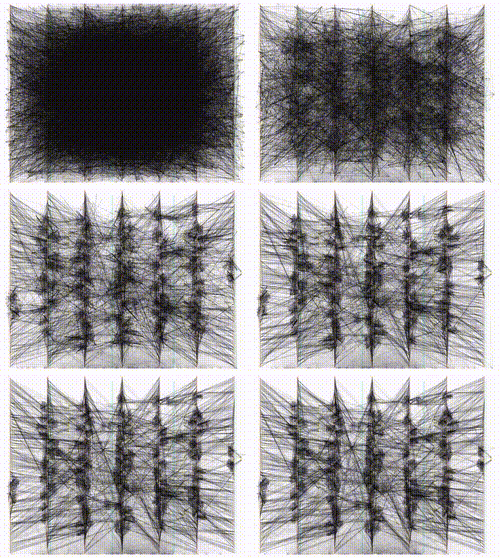
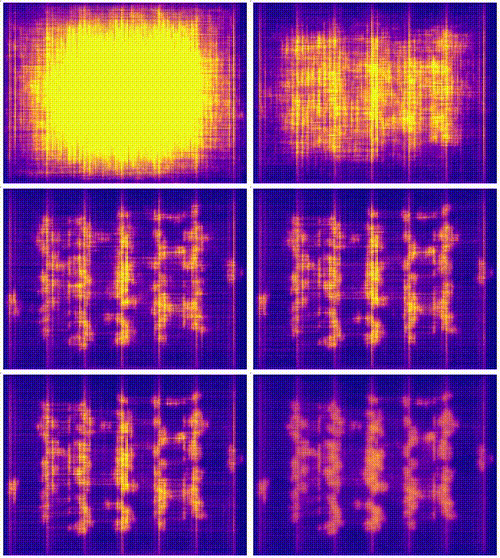
Basic Usage
At a minimum VPR requires two command-line arguments:
vpr architecture circuit
where:
- architecture
- circuit
is the technology mapped netlist in BLIF format to be implemented
VPR will then pack, place, and route the circuit onto the specified architecture.
By default VPR will perform a binary search routing to find the minimum channel width required to route the circuit.
Detailed Command-line Options
VPR has a lot of options. Running vpr --help will display all the available options and their usage information.
- -h, --help
Display help message then exit.
The options most people will be interested in are:
--route_chan_width(route at a fixed channel width), and--disp(turn on/off graphics).
In general for the other options the defaults are fine, and only people looking at how different CAD algorithms perform will try many of them. To understand what the more esoteric placer and router options actually do, see [BRM99] or download [BR96a, BR96b, BR97b, MBR00] from the author’s web page.
In the following text, values in angle brackets e.g. <int> <float> <string> <file>, should be replaced by the appropriate number, string, or file path.
Values in curly braces separated by vertical bars, e.g. {on | off}, indicate all the permissible choices for an option.
Stage Options
VPR runs all stages of (pack, place, route, and analysis) if none of --pack, --place, --route or --analysis are specified.
- --pack
Run packing stage
Default:
off
- --place
Run placement stage
Default:
off
- --analytical_place
Run the analytical placement flow. This flows uses an integrated packing and placement algorithm which uses information from the primitive level to improve clustering and placement; as such, the
--packand--placeoptions should not be set when this option is set. This flow requires that the device has a fixed size and some of the primitive blocks are fixed somewhere on the device grid.See also
See Analytical Placement Options for the options for this flow.
See also
See Fixed FPGA Grid Layout and
--devicefor how to fix the device size.See also
See VPR Placement Constraints for how to fix primitive blocks in a design to the device grid.
Warning
This analytical placement flow is experimental and under active development.
Default:
off
- --route
Run routing stage This also implies –analysis if routing was successful.
Default:
off
- --analysis
Run final analysis stage (e.g. timing, power).
Default:
off
Graphics Options
- --disp {on | off}
Controls whether VPR’s interactive graphics are enabled. Graphics are very useful for inspecting and debugging the FPGA architecture and/or circuit implementation.
Default:
off
- --auto <int>
Can be 0, 1, or 2. This sets how often you must click Proceed to continue execution after viewing the graphics. The higher the number, the more infrequently the program will pause.
Default:
1
- --save_graphics {on | off}
If set to on, this option will save an image of the final placement and the final routing created by vpr to pdf files on disk, with no need for any user interaction. The files are named vpr_placement.pdf and vpr_routing.pdf.
Default:
off
- --graphics_commands <string>
A set of semi-colon separated graphics commands. Graphics commands must be surrounded by quotation marks (e.g. –graphics_commands “save_graphics place.png;”)
- save_graphics <file>
Saves graphics to the specified file (.png/.pdf/ .svg). If <file> contains
{i}, it will be replaced with an integer which increments each time graphics is invoked.
- set_macros <int>
Sets the placement macro drawing state
- set_nets <int>
Sets the net drawing state
- set_cpd <int>
Sets the criticla path delay drawing state
- set_routing_util <int>
Sets the routing utilization drawing state
- set_clip_routing_util <int>
Sets whether routing utilization values are clipped to [0., 1.]. Useful when a consistent scale is needed across images
- set_draw_block_outlines <int>
Sets whether blocks have an outline drawn around them
- set_draw_block_text <int>
Sets whether blocks have label text drawn on them
- set_draw_block_internals <int>
Sets the level to which block internals are drawn
- set_draw_net_max_fanout <int>
Sets the maximum fanout for nets to be drawn (if fanout is beyond this value the net will not be drawn)
- set_congestion <int>
Sets the routing congestion drawing state
- exit <int>
Exits VPR with specified exit code
Example:
"save_graphics place.png; \
set_nets 1; save_graphics nets1.png;\
set_nets 2; save_graphics nets2.png; set_nets 0;\
set_cpd 1; save_graphics cpd1.png; \
set_cpd 3; save_graphics cpd3.png; set_cpd 0; \
set_routing_util 5; save_graphics routing_util5.png; \
set_routing_util 0; \
set_congestion 1; save_graphics congestion1.png;"
The above toggles various graphics settings (e.g. drawing nets, drawing critical path) and then saves the results to .png files.
Note that drawing state is reset to its previous state after these commands are invoked.
Like the interactive graphics :option`<–disp>` option, the
--autooption controls how often the commands specified with this option are invoked.
General Options
- --version
Display version information then exit.
- --device <string>
Specifies which device layout/floorplan to use from the architecture file. Valid values are:
autoVPR uses the smallest device satisfying the circuit’s resource requirements. This option will use the<auto_layout>tag if it is present in the architecture file in order to construct the smallest FPGA that has sufficient resources to fit the design. If the<auto_layout>tag is not present, theautooption chooses the smallest device amongst all the architecture file’s<fixed_layout>specifications into which the design can be packed.Any string matching
nameattribute of a device layout defined with a<fixed_layout>tag in the FPGA Grid Layout section of the architecture file.
If the value specified is neither
autonor matches thenameattribute value of a<fixed_layout>tag, VPR issues an error.Note
If the only layout in the architecture file is a single device specified using
<fixed_layout>, it is recommended to always specify the--deviceoption; this prevents the value--device autofrom interfering with operations supported only for<fixed_layout>grids.Default:
auto
- -j, --num_workers <int>
Controls how many parallel workers VPR may use:
1implies VPR will execute serially,>1implies VPR may execute in parallel with up to the specified concurrency0implies VPR may execute with up to the maximum concurrency supported by the host machine
If this option is not specified it may be set from the
VPR_NUM_WORKERSenvironment variable; otherwise the default is used.If this option is set to something other than 1, the following algorithms can be run in parallel:
Timing Analysis
Routing (If routing algorithm is set to parallel or parallel_decomp; See
--router_algorithm)Portions of analytical placement (If using the analytical placement flow and compiled VPR with Eigen enabled; See
--analytical_place)
Note
To compile VPR to allow the usage of parallel workers,
libtbb-devmust be installed in the system.Default:
1
- --timing_analysis {on | off}
Turn VPR timing analysis off. If it is off, you don’t have to specify the various timing analysis parameters in the architecture file.
Default:
on
- --echo_file {on | off}
Generates echo files of key internal data structures. These files are generally used for debugging vpr, and typically end in
.echoDefault:
off
- --verify_file_digests {on | off}
Checks that any intermediate files loaded (e.g. previous packing/placement/routing) are consistent with the current netlist/architecture.
If set to
onwill error if any files in the upstream dependency have been modified. If set tooffwill warn if any files in the upstream dependency have been modified.Default:
on
- --verify_route_file_switch_id {on | off}
Verify that the switch IDs in the routing file are consistent with those in the RR Graph. Set this to false when switch IDs in the routing file may differ from the RR Graph. For example, when analyzing different timing corners using the same netlist, placement, and routing files, the RR switch IDs in the RR Graph may differ due to changes in delays. In such cases, set this option to false so that the switch IDs from the RR Graph are used, and those in the routing file are ignored.
Default:
on
- --target_utilization <float>
Sets the target device utilization. This corresponds to the maximum target fraction of device grid-tiles to be used. A value of 1.0 means the smallest device (which fits the circuit) will be used.
Default:
1.0
- --constant_net_method {global | route}
Specifies how constant nets (i.e. those driven to a constant value) are handled:
global: Treat constant nets as globals (not routed)route: Treat constant nets as normal nets (routed)
Default:
global
- --clock_modeling {ideal | route | dedicated_network}
Specifies how clock nets are handled:
ideal: Treat clock pins as ideal (i.e. no routing delays on clocks)route: Treat clock nets as normal nets (i.e. routed using inter-block routing)dedicated_network: Use the architectures dedicated clock network (experimental)
Default:
ideal
- --two_stage_clock_routing {on | off}
Routes clock nets in two stages using a dedicated clock network.
First stage: From the net source (e.g. an I/O pin) to a dedicated clock network root (e.g. center of chip)
Second stage: From the clock network root to net sinks.
Note this option only works when specifying a clock architecture, see Clock Architecture Format; it does not work when reading a routing resource graph (i.e.
--read_rr_graph).Default:
off
- --exit_before_pack {on | off}
Causes VPR to exit before packing starts (useful for statistics collection).
Default:
off
- --strict_checks {on, off}
Controls whether VPR enforces some consistency checks strictly (as errors) or treats them as warnings.
Usually these checks indicate an issue with either the targeted architecture, or consistency issues with VPR’s internal data structures/algorithms (possibly harming optimization quality). In specific circumstances on specific architectures these checks may be too restrictive and can be turned off.
Warning
Exercise extreme caution when turning this option off – be sure you completely understand why the issue is being flagged, and why it is OK to treat as a warning instead of an error.
Default:
on
- --terminate_if_timing_fails {on, off}
Controls whether VPR should terminate if timing is not met after routing.
Default:
off
Filename Options
VPR by default appends .blif, .net, .place, and .route to the circuit name provided by the user, and looks for an SDC file in the working directory with the same name as the circuit. Use the options below to override this default naming behaviour.
- --circuit_file <file>
Path to technology mapped user circuit in BLIF format.
Note
If specified the
circuitpositional argument is treated as the circuit name.See also
- --circuit_format {auto | blif | eblif}
File format of the input technology mapped user circuit.
auto: File format inferred from file extension (e.g..blifor.eblif)blif: Strict structural BLIFeblif: Structural BLIF with extensions
Default:
auto
- --net_file <file>
Path to packed user circuit in net format.
Default:
circuit.net
- --place_file <file>
Path to final placement file.
Default:
circuit.place
- --route_file <file>
Path to final routing file.
Default:
circuit.route
- --sdc_file <file>
Path to SDC timing constraints file.
If no SDC file is found default timing constraints will be used.
Default:
circuit.sdc
- --write_rr_graph <file>
Writes out the routing resource graph generated at the last stage of VPR in the RR Graph file format. The output can be read into VPR using
--read_rr_graph.<file> describes the filename for the generated routing resource graph. Accepted extensions are
.xmland.binto write the graph in XML or binary (Cap’n Proto) format.
- --read_rr_graph <file>
Reads in the routing resource graph named <file> loads it for use during the placement and routing stages. Expects a file extension of either
.xmlor.bin.The routing resource graph overthrows all the architecture definitions regarding switches, nodes, and edges. Other information such as grid information, block types, and segment information are matched with the architecture file to ensure accuracy.
The file can be obtained through
--write_rr_graph.See also
- --read_rr_edge_override <file>
Reads a file that overrides the intrinsic delay of specific edges in RR graph.
This option should be used with both
--read_rr_graphand--write_rr_graph. When used this way, VPR reads the RR graph, updates the delays of selected edges using--read_rr_edge_override, and writes the updated RR graph. The modified RR graph can then be used in later VPR runs.
- --read_vpr_constraints <file>
Reads the VPR constraints that the flow must respect from the specified XML file.
- --write_vpr_constraints <file>
Writes out new floorplanning constraints based on the current placement to the specified XML file.
- --read_router_lookahead <file>
Reads the lookahead data from the specified file instead of computing it. Expects a file extension of either
.capnpor.bin.
- --write_router_lookahead <file>
Writes the lookahead data to the specified file. Accepted file extensions are
.capnp,.bin, and.csv.
- --read_placement_delay_lookup <file>
Reads the placement delay lookup from the specified file instead of computing it. Expects a file extension of either
.capnpor.bin.
- --write_placement_delay_lookup <file>
Writes the placement delay lookup to the specified file. Expects a file extension of either
.capnpor.bin.
- --read_initial_place_file <file>
Reads in the initial cluster-level placement (in .place file format) from the specified file and uses it as the starting point for annealing improvement, instead of generating an initial placement internally.
- --write_initial_place_file <file>
Writes out the clustered netlist placement chosen by the initial placement algorithm to the specified file, in .place file format.
- --outfile_prefix <string>
Prefix for output files
- --read_flat_place <file>
Reads a file containing the locations of each atom on the FPGA. This is used by the packer to better cluster atoms together.
The flat placement file (which often ends in .fplace) is a text file where each line describes the location of an atom. Each line in the flat placement file should have the following syntax:
<atom_name : str> <x : float> <y : float> <layer : float> <atom_sub_tile : int>
For example:
n523  6 8 0 0
n522  6 8 0 0
n520  6 8 0 0
n518  6 8 0 0
The position of the atom on the FPGA is given by 3 floating point values (
x,y,layer). We allow for the positions of atom to be not quite legal (ok to be off-grid) since this flat placement will be fed into the packer and placer, which will snap the positions to grid locations. By allowing for off-grid positions, the packer can better trade-off where to move atom blocks if they cannot be placed at the given position. For 2D FPGA architectures, thelayershould be 0.The
sub_tileis a clustered placement construct: which cluster-level location at a given (x, y, layer) should these atoms go at (relevant when multiple clusters can be stacked there). A sub-tile of -1 may be used when the sub-tile of an atom is unknown (allowing the packing algorithm to choose any sub-tile at the given (x, y, layer) location).Warning
This interface is currently experimental and under active development.
- --write_flat_place <file>
Writes the post-placement locations of each atom into a flat placement file (see flat placement file format).
For each atom in the netlist, the following information is stored into the flat placement file:
The x, y, and sub_tile location of the cluster that contains this atom.
- --write_legalized_flat_place <file>
Writes the post-legalization locations of each atom into a flat placement file (see flat placement file format).
For each atom in the netlist, the following information is stored into the flat placement file:
The x, y, and sub_tile location of the cluster that contains this atom.
Netlist Options
By default VPR will remove buffer LUTs, and iteratively sweep the netlist to remove unused primary inputs/outputs, nets and blocks, until nothing else can be removed.
- --absorb_buffer_luts {on | off}
Controls whether LUTs programmed as wires (i.e. implementing logical identity) should be absorbed into the downstream logic.
Usually buffer LUTS are introduced in BLIF circuits by upstream tools in order to rename signals (like
assignstatements in Verilog). Absorbing these buffers reduces the number of LUTs required to implement the circuit.Occasionally buffer LUTs are inserted for other purposes, and this option can be used to preserve them. Disabling buffer absorption can also improve the matching between the input and post-synthesis netlist/SDF.
Default:
on
- --const_gen_inference {none | comb | comb_seq}
Controls how constant generators are inferred/detected in the input circuit. Constant generators and the signals they drive are not considered during timing analysis.
none: No constant generator inference will occur. Any signals which are actually constants will be treated as non-constants.comb: VPR will infer constant generators from combinational blocks with no non-constant inputs (always safe).comb_seq: VPR will infer constant generators from combinational and sequential blocks with only constant inputs (usually safe).
Note
In rare circumstances
comb_seqcould incorrectly identify certain blocks as constant generators. This would only occur if a sequential netlist primitive has an internal state which evolves completely independently of any data input (e.g. a hardened LFSR block, embedded thermal sensor).Default:
comb_seq
- --sweep_dangling_primary_ios {on | off}
Controls whether the circuits dangling primary inputs and outputs (i.e. those who do not drive, or are not driven by anything) are swept and removed from the netlist.
Disabling sweeping of primary inputs/outputs can improve the matching between the input and post-synthesis netlists. This is often useful when performing formal verification.
See also
Default:
on
- --sweep_dangling_nets {on | off}
Controls whether dangling nets (i.e. those who do not drive, or are not driven by anything) are swept and removed from the netlist.
Default:
on
- --sweep_dangling_blocks {on | off}
Controls whether dangling blocks (i.e. those who do not drive anything) are swept and removed from the netlist.
Default:
on
- --sweep_constant_primary_outputs {on | off}
Controls whether primary outputs driven by constant values are swept and removed from the netlist.
See also
Default:
off
- --netlist_verbosity <int>
Controls the verbosity of netlist processing (constant generator detection, swept netlist components). High values produce more detailed output.
Default:
1
Packing Options
AAPack is the packing algorithm built into VPR. AAPack takes as input a technology-mapped blif netlist consisting of LUTs, flip-flops, memories, multipliers, etc and outputs a .net formatted netlist composed of more complex logic blocks. The logic blocks available on the FPGA are specified through the FPGA architecture file. For people not working on CAD, you can probably leave all the options to their default values.
- --connection_driven_clustering {on | off}
Controls whether or not AAPack prioritizes the absorption of nets with fewer connections into a complex logic block over nets with more connections.
Default:
on
Controls whether primitives with no attraction to a cluster may be packed into it.
Unrelated clustering can increase packing density (decreasing the number of blocks required to implement the circuit), but can significantly impact routability.
When set to
autoVPR automatically decides whether to enable unrelated clustring based on the targeted device and achieved packing density.Default:
auto
- --timing_gain_weight <float>
A parameter that weights the optimization of timing vs area.
A value of 0 focuses solely on area, a value of 1 focuses entirely on timing.
Default:
0.75
- --connection_gain_weight <float>
A tradeoff parameter that controls the optimization of smaller net absorption vs. the optimization of signal sharing.
A value of 0 focuses solely on signal sharing, while a value of 1 focuses solely on absorbing smaller nets into a cluster. This option is meaningful only when connection_driven_clustering is on.
Default:
0.9
- --timing_driven_clustering {on|off}
Controls whether or not to do timing driven clustering
Default:
on
- --cluster_seed_type {blend | timing | max_inputs}
Controls how the packer chooses the first primitive to place in a new cluster.
timingmeans that the unclustered primitive with the most timing-critical connection is used as the seed.max_inputsmeans the unclustered primitive that has the most connected inputs is used as the seed.blenduses a weighted sum of timing criticality, the number of tightly coupled blocks connected to the primitive, and the number of its external inputs.max_pinsselects primitives with the most number of pins (which may be used, or unused).max_input_pinsselects primitives with the most number of input pins (which may be used, or unused).blend2An alternative blend formulation taking into account both used and unused pin counts, number of tightly coupled blocks and criticality.Default:
blend2if timing_driven_clustering is on;max_inputsotherwise.
- --clustering_pin_feasibility_filter {on | off}
Controls whether the pin counting feasibility filter is used during clustering. When enabled the clustering engine counts the number of available pins in groups/classes of mutually connected pins within a cluster. These counts are used to quickly filter out candidate primitives/atoms/molecules for which the cluster has insufficient pins to route (without performing a full routing). This reduces packing run-time.
Default:
on
- --balance_block_type_utilization {on, off, auto}
Controls how the packer selects the block type to which a primitive will be mapped if it can potentially map to multiple block types.
on: Try to balance block type utilization by picking the block type with the (currently) lowest utilization.off: Do not try to balance block type utilizationauto: Dynamically enabled/disabled (based on density)
Default:
auto
- --target_ext_pin_util { auto | <float> | <float>,<float> | <string>:<float> | <string>:<float>,<float> }
Sets the external pin utilization target (fraction between 0.0 and 1.0) during clustering. This determines how many pin the clustering engine will aim to use in a given cluster before closing it and opening a new cluster.
Setting this to
1.0guides the packer to pack as densely as possible (i.e. it will keep adding molecules to the cluster until no more can fit). Setting this to a lower value will guide the packer to pack less densely, and instead creating more clusters. In the limit setting this to0.0will cause the packer to create a new cluster for each molecule.Typically packing less densely improves routability, at the cost of using more clusters.
This option can take several different types of values:
autoVPR will automatically determine appropriate target utilizations.<float>specifies the target input pin utilization for all block types.For example:
0.7specifies that all blocks should aim for 70% input pin utilization.
<float>,<float>specifies the target input and output pin utilizations respectively for all block types.For example:
0.7,0.9specifies that all blocks should aim for 70% input pin utilization, and 90% output pin utilization.
<string>:<float>and<string>:<float>,<float>specify the target pin utilizations for a specific block type (as above).For example:
clb:0.7specifies that onlyclbtype blocks should aim for 70% input pin utilization.clb:0.7,0.9specifies that onlyclbtype blocks should aim for 70% input pin utilization, and 90% output pin utilization.
Note
If some pin utilizations are specified,
automode is turned off and the utilization target for any unspecified pin types defaults to 1.0 (i.e. 100% utilization).For example:
0.7leaves the output pin utilization unspecified, which is equivalent to0.7,1.0.clb:0.7,0.9leaves the pin utilizations for all other block types unspecified, so they will assume a default utilization of1.0,1.0.
This option can also take multiple space-separated values. For example:
--target_ext_pin_util clb:0.5 dsp:0.9,0.7 0.8
would specify that
clbblocks use a target input pin utilization of 50%,dspblocks use a targets of 90% and 70% for inputs and outputs respectively, and all other blocks use an input pin utilization target of 80%.Note
This option is only a guideline. If a molecule (e.g. a carry-chain with many inputs) would not otherwise fit into a cluster type at the specified target utilization the packer will fallback to using all pins (i.e. a target utilization of
1.0).Note
This option requires
--clustering_pin_feasibility_filterto be enabled.Default:
auto
- --pack_prioritize_transitive_connectivity {on | off}
Controls whether transitive connectivity is prioritized over high-fanout connectivity during packing.
Default:
on
- --pack_high_fanout_threshold {auto | <int> | <string>:<int>}
Defines the threshold for high fanout nets within the packer.
This option can take several different types of values:
autoVPR will automatically determine appropriate thresholds.<int>specifies the fanout threshold for all block types.For example:
64specifies that a threshold of 64 should be used for all blocks.
<string>:<float>specifies the the threshold for a specific block type.For example:
clb:16specifies thatclbtype blocks should use a threshold of 16.
This option can also take multiple space-separated values. For example:
--pack_high_fanout_threshold 128 clb:16
would specify that
clbblocks use a threshold of 16, while all other blocks (e.g. DSPs/RAMs) would use a threshold of 128.Default:
auto
- --pack_transitive_fanout_threshold <int>
Packer transitive fanout threshold.
Default:
4
- --pack_feasible_block_array_size <int>
This value is used to determine the max size of the priority queue for candidates that pass the early filter legality test but not the more detailed routing filter.
Default:
30
- --pack_verbosity <int>
Controls the verbosity of clustering output. Larger values produce more detailed output, which may be useful for debugging architecture packing problems.
Default:
2
- --write_block_usage <file>
Writes out to the file under path <file> cluster-level block usage summary in machine readable (JSON or XML) or human readable (TXT) format. Format is selected based on the extension of <file>.
Placer Options
The placement engine in VPR places logic blocks using simulated annealing. By default, the automatic annealing schedule is used [BR97b, BRM99]. This schedule gathers statistics as the placement progresses, and uses them to determine how to update the temperature, when to exit, etc. This schedule is generally superior to any user-specified schedule. If any of init_t, exit_t or alpha_t is specified, the user schedule, with a fixed initial temperature, final temperature and temperature update factor is used.
See also
- --seed <int>
Sets the initial random seed used by the placer.
Default:
1
- --enable_timing_computations {on | off}
Controls whether or not the placement algorithm prints estimates of the circuit speed of the placement it generates. This setting affects statistics output only, not optimization behaviour.
Default:
onif timing-driven placement is specified,offotherwise.
- --inner_num <float>
The number of moves attempted at each temperature in placement can be calculated from inner_num scaled with circuit size or device-circuit size as specified in
place_effort_scaling.Changing inner_num is the best way to change the speed/quality tradeoff of the placer, as it leaves the highly-efficient automatic annealing schedule on and simply changes the number of moves per temperature.
Specifying
-inner_num 10will slow the placer by a factor of 10 while typically improving placement quality only by 10% or less (depends on the architecture). Hence users more concerned with quality than CPU time may find this a more appropriate value of inner_num.Default:
0.5
- --place_effort_scaling {circuit | device_circuit}
Controls how the number of placer moves level scales with circuit and device size:
circuit: The number of moves attempted at each temperature is inner_num * num_blocks^(4/3) in the circuit.device_circuit: The number of moves attempted at each temperature is inner_num * grid_size^(2/3) * num_blocks^(4/3) in the circuit.
The number of blocks in a circuit is the number of pads plus the number of clbs.
Default:
circuit
- --anneal_auto_init_t_scale <float>
A scale on the starting temperature of the anneal for the automatic annealing schedule.
When in the automatic annealing schedule, the annealer will select a good initial temperature based on the quality of the initial placement. This option allows you to scale that initial temperature up or down by multiplying the initial temperature by the given scale. Increasing this number will increase the initial temperature which will have the annealer potentially explore more of the space at the expense of run time. Depending on the quality of the initial placement, this may improve or hurt the quality of the final placement.
Default:
1.0
- --anneal_auto_init_t_estimator {cost_variance, equilibrium}
Controls which estimation method is used when selecting the starting temperature for the automatic annealing schedule.
The options for estimators are:
cost_variance: Estimates the initial temperature using the variance of cost after a set of trial swaps. The initial temperature is set to a value proportional to the variance.equilibrium: Estimates the initial temperature by trying to predict the equilibrium temperature for the initial placement (i.e. the temperature that would result in no change in cost).
Default
equilibrium
- --init_t <float>
The starting temperature of the anneal for the manual annealing schedule.
Default:
100.0
- --exit_t <float>
The manual anneal will terminate when the temperature drops below the exit temperature.
Default:
0.01
- --alpha_t <float>
The temperature is updated by multiplying the old temperature by alpha_t when the manual annealing schedule is enabled.
Default:
0.8
- --fix_pins {free | random}
Controls how the placer handles I/O pads during placement.
free: The placer can move I/O locations to optimize the placement.random: Fixes I/O pads to arbitrary locations and does not allow the placer to move them during the anneal (models the effect of poor board-level I/O constraints).
Note: the fix_pins option also used to accept a third argument - a place file that specified where I/O pins should be placed. This argument is no longer accepted by fix_pins. Instead, the fix_clusters option can now be used to lock down I/O pins.
Default:
free.
- --fix_clusters {<file.place>}
Controls how the placer handles blocks (of any type) during placement.
<file.place>: A path to a file listing the desired location of clustered blocks in the netlist.
This place location file is in the same format as a .place file, but does not require the first two lines which are normally at the top of a placement file that specify the netlist file, netlist ID, and array size.
- --place_algorithm {bounding_box | criticality_timing | slack_timing}
Controls the algorithm used by the placer.
bounding_boxFocuses purely on minimizing the bounding box wirelength of the circuit. Turns off timing analysis if specified.criticality_timingFocuses on minimizing both the wirelength and the connection timing costs (criticality * delay).slack_timingFocuses on improving the circuit slack values to reduce critical path delay.Default:
criticality_timing
- --place_quench_algorithm {bounding_box | criticality_timing | slack_timing}
Controls the algorithm used by the placer during placement quench. The algorithm options have identical functionality as the ones used by the option
--place_algorithm. If specified, it overrides the option--place_algorithmduring placement quench.Default:
criticality_timing
- --place_bounding_box_mode {auto_bb | cube_bb | per_layer_bb}
Specifies the type of the wirelength estimator used during placement. For single layer architectures, cube_bb (a 3D bounding box) is always used (and is the same as per_layer_bb). For 3D architectures, cube_bb is appropriate if you can cross between layers at switch blocks, while if you can only cross between layers at output pins per_layer_bb (one bounding box per layer) is more accurate and appropriate.
auto_bb: The bounding box type is determined automatically based on the cross-layer connections.cube_bb:cube_bbbounding box is used to estimate the wirelength.per_layer_bb:per_layer_bbbounding box is used to estimate the wirelengthDefault:
auto_bb
- --place_chan_width <int>
Tells VPR how many tracks a channel of relative width 1 is expected to need to complete routing of this circuit. VPR will then place the circuit only once, and repeatedly try routing the circuit as usual.
Default:
100
- --place_rlim_escape <float>
The fraction of moves which are allowed to ignore the region limit. For example, a value of 0.1 means 10% of moves are allowed to ignore the region limit.
Default:
0.0
- --RL_agent_placement {on | off}
Uses a Reinforcement Learning (RL) agent in choosing the appropriate move type in placement. It activates the RL agent placement instead of using a fixed probability for each move type.
Default:
on
- --place_agent_multistate {on | off}
Enable a multistate agent in the placement. A second state will be activated late in the annealing and in the Quench that includes all the timing driven directed moves.
Default:
on
- --place_agent_algorithm {e_greedy | softmax}
Controls which placement RL agent is used.
Default:
softmax
- --place_agent_epsilon <float>
Placement RL agent’s epsilon for the epsilon-greedy agent. Epsilon represents the percentage of exploration actions taken vs the exploitation ones.
Default:
0.3
- --place_agent_gamma <float>
Controls how quickly the agent’s memory decays. Values between [0., 1.] specify the fraction of weight in the exponentially weighted reward average applied to moves which occurred greater than moves_per_temp moves ago. Values < 0 cause the unweighted reward sample average to be used (all samples are weighted equally)
Default:
0.05
- --place_reward_fun {basic | nonPenalizing_basic | runtime_aware | WLbiased_runtime_aware}
The reward function used by the placement RL agent to learn the best action at each anneal stage.
Note
The latter two are only available for timing-driven placement.
Default:
WLbiased_runtime_aware
- --place_agent_space {move_type | move_block_type}
The RL Agent exploration space can be either based on only move types or also consider different block types moved.
Default:
move_block_type
- --place_quench_only {on | off}
If this option is set to
on, the placement will skip the annealing phase and only perform the placement quench. This option is useful when the the quality of initial placement is good enough and there is no need to perform the annealing phase.Default:
off
- --placer_debug_block <int>
Note
This option is likely only of interest to developers debugging the placement algorithm
Controls which block the placer produces detailed debug information for.
If the block being moved has the same ID as the number assigned to this parameter, the placer will print debugging information about it.
For values >= 0, the value is the block ID for which detailed placer debug information should be produced.
For value == -1, detailed placer debug information is produced for all blocks.
For values < -1, no placer debug output is produced.
Warning
VPR must have been compiled with VTR_ENABLE_DEBUG_LOGGING on to get any debug output from this option.
Default:
-2
- --placer_debug_net <int>
Note
This option is likely only of interest to developers debugging the placement algorithm
Controls which net the placer produces detailed debug information for.
If a net with the same ID assigned to this parameter is connected to the block that is being moved, the placer will print debugging information about it.
For values >= 0, the value is the net ID for which detailed placer debug information should be produced.
For value == -1, detailed placer debug information is produced for all nets.
For values < -1, no placer debug output is produced.
Warning
VPR must have been compiled with VTR_ENABLE_DEBUG_LOGGING on to get any debug output from this option.
Default:
-2
Timing-Driven Placer Options
The following options are only valid when the placement engine is in timing-driven mode (timing-driven placement is used by default).
- --timing_tradeoff <float>
Controls the trade-off between bounding box minimization and delay minimization in the placer.
A value of 0 makes the placer focus completely on bounding box (wirelength) minimization, while a value of 1 makes the placer focus completely on timing optimization.
Default:
0.5
- --recompute_crit_iter <int>
Controls how many temperature updates occur before the placer performs a timing analysis to update its estimate of the criticality of each connection.
Default:
1
- --inner_loop_recompute_divider <int>
Controls how many times the placer performs a timing analysis to update its criticality estimates while at a single temperature.
Default:
0
- --quench_recompute_divider <int>
Controls how many times the placer performs a timing analysis to update its criticality estimates during a quench. If unspecified, uses the value from –inner_loop_recompute_divider.
Default:
0
- --td_place_exp_first <float>
Controls how critical a connection is considered as a function of its slack, at the start of the anneal.
If this value is 0, all connections are considered equally critical. If this value is large, connections with small slacks are considered much more critical than connections with large slacks. As the anneal progresses, the exponent used in the criticality computation gradually changes from its starting value of td_place_exp_first to its final value of
--td_place_exp_last.Default:
1.0
- --td_place_exp_last <float>
Controls how critical a connection is considered as a function of its slack, at the end of the anneal.
See also
Default:
8.0
- --place_delay_model {simple, delta, delta_override}
Controls how the timing-driven placer estimates delays.
simpleThe placement delay estimator is built from the router lookahead. This takes less CPU time to build and it is still as accurate as thedeltamodel.deltaThe router is used to profile delay from various locations in the grid for various differences in position.delta_overrideLikedeltabut also includes special overrides to ensure effects of direct connects between blocks are accounted for. This is potentially more accurate but is more complex and depending on the architecture (e.g. number of direct connects) may increase place run-time.
Default:
simple
- --place_delay_model_reducer {min, max, median, arithmean, geomean}
When calculating delta delays for the placement delay model how are multiple values combined?
Default:
min
- --place_delay_offset <float>
A constant offset (in seconds) applied to the placer’s delay model.
Default:
0.0
- --place_delay_ramp_delta_threshold <float>
The delta distance beyond which –place_delay_ramp is applied. Negative values disable the placer delay ramp.
Default:
-1
- --place_delay_ramp_slope <float>
The slope of the ramp (in seconds per grid tile) which is applied to the placer delay model for delta distance beyond
--place_delay_ramp_delta_threshold.Default:
0.0e-9
- --place_tsu_rel_margin <float>
Specifies the scaling factor for cell setup times used by the placer. This effectively controls whether the placer should try to achieve extra margin on setup paths. For example a value of 1.1 corresponds to requesting 10% setup margin.
Default:
1.0
- --place_tsu_abs_margin <float>
Specifies an absolute offset added to cell setup times used by the placer. This effectively controls whether the placer should try to achieve extra margin on setup paths. For example a value of 500e-12 corresponds to requesting an extra 500ps of setup margin.
Default:
0.0
- --post_place_timing_report <file>
Name of the post-placement timing report file to generate (not generated if unspecified).
NoC Options
The following options are only used when FPGA device and netlist contain a NoC router.
- --noc {on | off}
Enables a NoC-driven placer that optimizes the placement of routers on the NoC. Also, it enables an option in the graphical display that can be used to display the NoC on the FPGA.
Default:
off
- --noc_flows_file <file>
XML file containing the list of traffic flows within the NoC (communication between routers).
Note
It is required to specify a
noc_flows_fileif NoC optimization is turned on (--noc on).
- --noc_routing_algorithm {xy_routing | bfs_routing | west_first_routing | north_last_routing | negative_first_routing | odd_even_routing}
Controls the algorithm used by the NoC to route packets.
xy_routingUses the direction oriented routing algorithm. This is recommended to be used with mesh NoC topologies.bfs_routingUses the breadth first search algorithm. The objective is to find a route that uses a minimum number of links. This algorithm is not guaranteed to generate deadlock-free traffic flow routes, but can be used with any NoC topology.west_first_routingUses the west-first routing algorithm. This is recommended to be used with mesh NoC topologies.north_last_routingUses the north-last routing algorithm. This is recommended to be used with mesh NoC topologies.negative_first_routingUses the negative-first routing algorithm. This is recommended to be used with mesh NoC topologies.odd_even_routingUses the odd-even routing algorithm. This is recommended to be used with mesh NoC topologies.
Default:
bfs_routing
- --noc_placement_weighting <float>
Controls the importance of the NoC placement parameters relative to timing and wirelength of the design.
noc_placement_weighting = 0means the placement is based solely on timing and wirelength.noc_placement_weighting = 1means noc placement is considered equal to timing and wirelength.noc_placement_weighting > 1means the placement is increasingly dominated by NoC parameters.
Default:
5.0
- --noc_aggregate_bandwidth_weighting <float>
Controls the importance of minimizing the NoC aggregate bandwidth. This value can be >=0, where 0 would mean the aggregate bandwidth has no relevance to placement. Other positive numbers specify the importance of minimizing the NoC aggregate bandwidth compared to other NoC-related cost terms. Weighting factors for NoC-related cost terms are normalized internally. Therefore, their absolute values are not important, and only their relative ratios determine the importance of each cost term.
Default:
0.38
- --noc_latency_constraints_weighting <float>
Controls the importance of meeting all the NoC traffic flow latency constraints. This value can be >=0, where 0 would mean latency constraints have no relevance to placement. Other positive numbers specify the importance of meeting latency constraints compared to other NoC-related cost terms. Weighting factors for NoC-related cost terms are normalized internally. Therefore, their absolute values are not important, and only their relative ratios determine the importance of each cost term.
Default:
0.6
- --noc_latency_weighting <float>
Controls the importance of reducing the latencies of the NoC traffic flows. This value can be >=0, where 0 would mean the latencies have no relevance to placement Other positive numbers specify the importance of minimizing aggregate latency compared to other NoC-related cost terms. Weighting factors for NoC-related cost terms are normalized internally. Therefore, their absolute values are not important, and only their relative ratios determine the importance of each cost term.
Default:
0.02
- --noc_congestion_weighting <float>
Controls the importance of reducing the congestion of the NoC links. This value can be >=0, where 0 would mean the congestion has no relevance to placement. Other positive numbers specify the importance of minimizing congestion compared to other NoC-related cost terms. Weighting factors for NoC-related cost terms are normalized internally. Therefore, their absolute values are not important, and only their relative ratios determine the importance of each cost term.
Default:
0.25
- --noc_swap_percentage <float>
Sets the minimum fraction of swaps attempted by the placer that are NoC blocks. This value is an integer ranging from [0-100].
0means NoC blocks will be moved at the same rate as other blocks.100means all swaps attempted by the placer are NoC router blocks.
Default:
0
- --noc_placement_file_name <file>
Name of the output file that contains the NoC placement information.
Default:
vpr_noc_placement_output.txt
Analytical Placement Options
Instead of Packing atoms into clusters and placing the clusters into valid tile sites on the FPGA, Analytical Placement uses analytical techniques to place atoms on the FPGA device by relaxing the constraints on where they can be placed. This atom-level placement is then legalized into a clustered placement and passed into the router in VPR.
Analytical Placement is generally split into three stages:
Global Placement: Uses analytical techniques to place atoms on the FPGA grid.
Full Legalization: Legalizes a flat (atom) placement into legal clusters placed on the FPGA grid.
Detailed Placement: While keeping the clusters legal, performs optimizations on the clustered placement.
Warning
Analytical Placement is experimental and under active development.
- --ap_analytical_solver {identity | qp-hybrid | lp-b2b}
Controls which Analytical Solver the Global Placer will use in the AP Flow. The Analytical Solver solves for a placement which optimizes some objective function, ignorant of the FPGA legality constraints. This provides a “lower- bound” solution. The Global Placer will legalize this solution and feed it back to the analytical solver to make its solution more legal.
identityDoes not formulate any equations and just passes the last legalized solution through. In the first iteration, it initializes all blocks to the center of the device. This solver is only used for testing and debugging and should not be part of any real AP flow.qp-hybridSolves for a placement that minimizes the quadratic HPWL of the flat placement using a hybrid clique/star net model (as described in FastPlace [VC05]). Uses the legalized solution as anchor-points to pull the solution to a more legal solution (similar to the approach from SimPL [KLM13]).lp-b2bSolves for a placement that minimizes the linear HPWL of the flat placement using the Bound2Bound net model (as described in Kraftwerk2 [SSJ08]). Uses the legalized solution as anchor-points to pull the solution to a more legal solution (similar to the approach from SimPL [KLM13]).
Default:
lp-b2b
- --ap_partial_legalizer {none | bipartitioning | flow-based}
Controls which Partial Legalizer the Global Placer will use in the AP Flow. The Partial Legalizer legalizes a placement generated by an Analytical Solver. It is used within the Global Placer to guide the solver to a more legal solution.
noneDoes not partially legalize the global placement solution and just passes the last solved solution through. This partial legalizer is only used for testing and debugging and should not be part of any real AP flow.bipartitioningCreates minimum windows around over-dense regions of the device bi-partitions the atoms in these windows such that the region is no longer over-dense and the atoms are in tiles that they can be placed into.flow-basedFlows atoms from regions that are overfilled to regions that are underfilled.
Default:
bipartitioning
- --ap_full_legalizer {naive | appack | flat-recon}
Controls which Full Legalizer to use in the AP Flow.
naiveUse a Naive Full Legalizer which will try to create clusters exactly where their atoms are placed.appackUse APPack, which takes the Packer in VPR and uses the flat atom placement to create better clusters.flat-reconUse the Flat Placement Reconstruction Full Legalizer which tries to reconstruct a clustered placement that is as close to the incoming flat placement as possible. It can be used to read a flat placement from a .fplace file or on the (in memory) output of VTR’s integrated Global Placement algorithm. In both cases, it expects the given solution to be close to legal. If used with a .fplace file, each atom in a molecule should have compatible location information. It is legal to leave some molecules unconstrained; the reconstruction phase will choose where to place them but does not attempt to optimize these locations.
Default:
appack
- --ap_detailed_placer {none | annealer}
Controls which Detailed Placer to use in the AP Flow.
noneDo not use any Detailed Placer.annealerUse the Annealer from the Placement stage as a Detailed Placer. This will use the same Placer Options from the Place stage to configure the annealer.
Default:
annealer
- --ap_timing_tradeoff <float>
Controls the trade-off between wirelength (HPWL) and delay minimization in the AP flow.
A value of 0.0 makes the AP flow focus completely on wirelength minimization, while a value of 1.0 makes the AP flow focus completely on timing optimization.
Default:
0.5
- --ap_partial_legalizer_target_density { auto | <regex>:<float>,<float> }
Sets the target density of different physical tiles on the FPGA device for the partial legalizer in the AP flow. The partial legalizer will try to fill tiles up to (but not beyond) this target density. This is used as a guide, the legalizer may not follow this if it must fill the tile more.
The partial legalizer uses an abstraction called “mass” to describe the resources used by a set of primitives in the netlist and the capacity of resources in a given tile. For primitives like LUTs, FFs, and DSPs this mass can be thought of as the number of pins used (but not exactly). For memories, this mass can be thought of as the number of bits stored. This target density parameter lowers the mass capacity of tiles.
When this option is set to auto, VPR will select good values for the target density of tiles.
reasonable values are between 0.0 and 1.0, with negative values not being allowed.
This option is similar to appack_max_dist_th, where a regex string is used to set the target density of different physical tiles.
For example:
--ap_partial_legalizer_target_density .*:0.9 "clb|memory:0.8"
Would set the target density of all physical tiles to be 0.9, except for the clb and memory tiles, which will be set to a target density of 0.8.
Default:
auto
- --appack_max_dist_th { auto | <regex>:<float>,<float> }
Sets the maximum candidate distance thresholds for the logical block types used by APPack. APPack uses the primitive-level placement produced by the global placer to cluster primitives together. APPack uses the thresholds here to ignore primitives which are too far away from the cluster being formed.
When this option is set to “auto”, VPR will select good values for these thresholds based on the primitives contained within each logical block type.
Using this option, the user can set the maximum candidate distance threshold of logical block types to something else. The strings passed in by the user should be of the form
<regex>:<float>,<float>where the regex string is used to match the name of the logical block type to set, the first float is a scaling term, and the second float is an offset. The threshold will be set to max(scale * (W + H), offset), where W and H are the width and height of the device. This allows the user to specify a threshold based on the size of the device, while also preventing the number from going below “offset”. When multiple strings are provided, the thresholds are set from left to right, and any logical block types which have been unset will be set to their “auto” values.For example:
--appack_max_dist_th .*:0.1,0 "clb|memory:0,5"
Would set all logical block types to be 0.1 * (W + H), except for the clb and memory block, which will be set to a fixed value of 5.
Another example:
--appack_max_dist_th "clb|LAB:0.2,5"
This will set all of the logical block types to their “auto” thresholds, except for logical blocks with the name clb/LAB which will be set to 0.2 * (W + H) or 5 (whichever is larger).
Default:
auto
Sets parameters used for unrelated clustering (the max search distance and max attempts) used by APPack. APPack uses the primitive-level placement produced by the global placer to cluster primitives together. APPack uses this information to help increase the density of clusters (if needed) by searching for unrelated molecules to pack together. It does this by searching out from the centroid of the cluster being created until it finds a valid molecule. If a valid molecule is found, but it fails, the packer may do another attempt (up to a maximum number of attempts). This argument allows the user to select the maximum distance the code will search and how many attempts it will try to search for each cluster.
When this option is set to auto, VPR will select good values for these parameters based on the primitives contained within each logical block type.
This option is similar to the appack_max_dist_th argument, where the parameters are passed by the user in the form <regex>:<float>,<float> where regex is used to match the name of the logical block type to set, the first float is the max unrelated tile distance, and the second float is the max unrelated clustering attempts.
For example:
--appack_max_dist_th "clb|LAB:10,5"
This will set all of the logical block types to their “auto” parameters, except for logical blocks with the name clb/LAB which will have a max search distance of 10 tiles and a maximum of 5 unrelated clustering attempts.
Default:
auto
- --ap_high_fanout_threshold <int>
Defines the threshold for high fanout nets within AP flow.
Ignores the nets that have higher fanouts than the threshold for the analytical solver.
Default:
256
- --ap_verbosity <int>
Controls the verbosity of the AP flow output. Larger values produce more detailed output, which may be useful for debugging the algorithms in the AP flow.
1 <= verbosity < 10Print standard, stage-level messages. This will print messages at the GP, FL, or DP level.10 <= verbosity < 20Print more detailed messages of what is happening within stages. For example, show high-level information on the legalization iterations within the Global Placer.20 <= verbosityPrint very detailed messages on intra-stage algorithms.
Default:
1
- --ap_generate_mass_report {on | off}
Controls whether to generate a report on how the partial legalizer within the AP flow calculates the mass of primitives and the capacity of tiles on the device. This report is useful when debugging the partial legalizer.
Default:
off
Router Options
VPR uses a negotiated congestion algorithm (based on Pathfinder) to perform routing.
Note
By default the router performs a binary search to find the minimum routable channel width. To route at a fixed channel width use --route_chan_width.
See also
- --flat_routing {on | off}
If this option is enabled, the run-flat router is used instead of the two-stage router. This means that during the routing stage, all nets, both intra- and inter-cluster, are routed directly from one primitive pin to another primitive pin. This increases routing time but can improve routing quality by re-arranging LUT inputs and exposing additional optimization opportunities in architectures with local intra-cluster routing that is not a full crossbar.
Default:
off
- --max_router_iterations <int>
The number of iterations of a Pathfinder-based router that will be executed before a circuit is declared unrouteable (if it hasn’t routed successfully yet) at a given channel width.
Speed-quality trade-off: reducing this number can speed up the binary search for minimum channel width, but at the cost of some increase in final track count. This is most effective if -initial_pres_fac is simultaneously increased. Increase this number to make the router try harder to route heavily congested designs.
Default:
50
- --first_iter_pres_fac <float>
Similar to
--initial_pres_fac. This sets the present overuse penalty factor for the very first routing iteration.--initial_pres_facsets it for the second iteration.Note
A value of
0.0causes congestion to be ignored on the first routing iteration.Default:
0.0
- --initial_pres_fac <float>
Sets the starting value of the present overuse penalty factor.
Speed-quality trade-off: increasing this number speeds up the router, at the cost of some increase in final track count. Values of 1000 or so are perfectly reasonable.
Default:
0.5
- --pres_fac_mult <float>
Sets the growth factor by which the present overuse penalty factor is multiplied after each router iteration.
Default:
1.3
- --max_pres_fac <float>
Sets the maximum present overuse penalty factor that can ever result during routing. Should always be less than 1e25 or so to prevent overflow. Smaller values may help prevent circuitous routing in difficult routing problems, but may increase the number of routing iterations needed and hence runtime.
Default:
1000.0
- --acc_fac <float>
Specifies the accumulated overuse factor (historical congestion cost factor).
Default:
1
- --bb_factor <int>
Sets the distance (in channels) outside of the bounding box of its pins a route can go. Larger numbers slow the router somewhat, but allow for a more exhaustive search of possible routes.
Default:
3
- --base_cost_type {demand_only | delay_normalized | delay_normalized_length | delay_normalized_frequency | delay_normalized_length_frequency}
Sets the basic cost of using a routing node (resource).
demand_onlysets the basic cost of a node according to how much demand is expected for that type of node.delay_normalizedis similar todemand_only, but normalizes all these basic costs to be of the same magnitude as the typical delay through a routing resource.delay_normalized_lengthlikedelay_normalized, but scaled by routing resource length.delay_normalized_frequencylikedelay_normalized, but scaled inversely by routing resource frequency.delay_normalized_length_frequencylikedelay_normalized, but scaled by routing resource length and scaled inversely by routing resource frequency.
Default:
delay_normalized_length
- --bend_cost <float>
The cost of a bend. Larger numbers will lead to routes with fewer bends, at the cost of some increase in track count. If only global routing is being performed, routes with fewer bends will be easier for a detailed router to subsequently route onto a segmented routing architecture.
Default:
1if global routing is being performed,0if combined global/detailed routing is being performed.
- --route_type {global | detailed}
Specifies whether global routing or combined global and detailed routing should be performed.
Default:
detailed(i.e. combined global and detailed routing)
- --route_chan_width <int>
Tells VPR to route the circuit at the specified channel width.
Note
If the channel width is >= 0, no binary search on channel capacity will be performed to find the minimum number of tracks required for routing. VPR simply reports whether or not the circuit will route at this channel width.
Default:
-1(perform binary search for minimum routable channel width)
- --min_route_chan_width_hint <int>
Hint to the router what the minimum routable channel width is.
The value provided is used to initialize the binary search for minimum channel width. A good hint may speed-up the binary search by avoiding time spent at congested channel widths which are not routable.
The algorithm is robust to incorrect hints (i.e. it continues to binary search), so the hint does not need to be precise.
This option may occasionally produce a different minimum channel width due to the different initialization.
See also
- --verify_binary_search {on | off}
Force the router to check that the channel width determined by binary search is the minimum.
The binary search occasionally may not find the minimum channel width (e.g. due to router sub-optimality, or routing pattern issues at a particular channel width).
This option attempts to verify the minimum by routing at successively lower channel widths until two consecutive routing failures are observed.
- --router_algorithm {timing_driven | parallel | parallel_decomp}
Selects which router algorithm to use.
timing_drivenis the default single-threaded PathFinder algorithm.parallelpartitions the device to route non-overlapping nets in parallel. Use with the-joption to specify the number of threads.parallel_decompdecomposes nets for aggressive parallelization [KSB24]. This imposes additional constraints and may result in worse QoR for difficult circuits.
Note that both
parallelandparallel_decompare timing-driven routers.Default:
timing_driven
- --min_incremental_reroute_fanout <int>
Incrementally re-route nets with fanout above the specified threshold.
This attempts to reuse the legal (i.e. non-congested) parts of the routing tree for high fanout nets, with the aim of reducing router execution time.
To disable, set value to a value higher than the largest fanout of any net.
Default:
16
- --max_logged_overused_rr_nodes <int>
Prints the information on overused RR nodes to the VPR log file after the each failed routing attempt.
If the number of overused nodes is above the given threshold
N, then only the firstNentries are printed to the logfile.Default:
20
- --generate_rr_node_overuse_report {on | off}
Generates a detailed report on the overused RR nodes’ information: report_overused_nodes.rpt.
This report is generated only when the final routing attempt fails (i.e. the whole routing process has failed).
In addition to the information that can be seen via
--max_logged_overused_rr_nodes, this report prints out all the net ids that are associated with each overused RR node. Also, this report does not place a threshold upon the number of RR nodes printed.Default:
off
- --write_timing_summary <file>
Writes out to the file under path <file> final timing summary in machine readable (JSON or XML) or human readable (TXT) format. Format is selected based on the extension of <file>. The summary consists of parameters:
cpd - Final critical path delay (least slack) [ns]
fmax - Maximal frequency of the implemented circuit [MHz]
swns - setup Worst Negative Slack (sWNS) [ns]
stns - Setup Total Negative Slack (sTNS) [ns]
- --generate_net_timing_report {on | off}
Generates a report that lists the bounding box, slack, and delay of every routed connection in a design in CSV format (
report_net_timing.csv). Each row in the CSV corresponds to a single net.The report can later be used by other tools to enable further optimizations. For example, the Synopsys synthesis tool (Synplify) can use this information to re-synthesize the design and improve the Quality of Results (QoR).
Fields in the report are:
netname         : The name assigned to the net in the atom netlist
Fanout          : Net's fanout (number of sinks)
bb_xmin         : X coordinate of the net's bounding box's bottom-left corner
bb_ymin         : Y coordinate of the net's bounding box's bottom-left corner
bb_layer_min    : Lowest layer number of the net's bounding box
bb_xmax         : X coordinate of the net's bounding box's top-right corner
bb_ymax         : Y coordinate of the net's bounding box's top-right corner
bb_layer_max    : Highest layer number of the net's bounding box
src_pin_name    : Name of the net's source pin
src_pin_slack   : Setup slack of the net's source pin
sinks           : A semicolon-separated list of sink pin entries, each in the format:
                  <sink_pin_name>,<sink_pin_slack>,<sink_pin_delay>
Example value for the
sinksfield:"U2.B,0.12,0.5;U3.C,0.10,0.6;U4.D,0.08,0.7"Default:
off
- --route_verbosity <int>
Controls the verbosity of routing output. High values produce more detailed output, which can be useful for debugging or understanding the routing process.
Default:
1
Timing-Driven Router Options
The following options are only valid when the router is in timing-driven mode (the default).
- --astar_fac <float>
Sets how aggressive the directed search used by the timing-driven router is.
Values between 1 and 2 are reasonable, with higher values trading some quality for reduced CPU time.
Default:
1.2
- --astar_offset <float>
Sets how aggressive the directed search used by the timing-driven router is. It is a subtractive adjustment to the lookahead heuristic.
Values between 0 and 1e-9 are reasonable; higher values may increase quality at the expense of run-time.
Default:
0.0
- --router_profiler_astar_fac <float>
Controls the directedness of the timing-driven router’s exploration when doing router delay profiling of an architecture. The router delay profiling step is currently used to calculate the place delay matrix lookup. Values between 1 and 2 are reasonable; higher values trade some quality for reduced run-time.
Default:
1.2
- --enable_parallel_connection_router {on | off}
Controls whether the MultiQueue-based parallel connection router is used during a single connection routing.
When enabled, the parallel connection router accelerates the path search for individual source-sink connections using multi-threading without altering the net routing order.
Default:
off
- --post_target_prune_fac <float>
Controls the post-target pruning heuristic calculation in the parallel connection router.
This parameter is used as a multiplicative factor applied to the VPR heuristic (not guaranteed to be admissible, i.e., might over-predict the cost to the sink) to calculate the ‘stopping heuristic’ when pruning nodes after the target has been reached. The ‘stopping heuristic’ must be admissible for the path search algorithm to guarantee optimal paths and be deterministic.
Values of this parameter are architecture-specific and have to be empirically found.
This parameter has no effect if
--enable_parallel_connection_routeris not set.Default:
1.2
- --post_target_prune_offset <float>
Controls the post-target pruning heuristic calculation in the parallel connection router.
This parameter is used as a subtractive offset together with
--post_target_prune_facto apply an affine transformation on the VPR heuristic to calculate the ‘stopping heuristic’. The ‘stopping heuristic’ must be admissible for the path search algorithm to guarantee optimal paths and be deterministic.Values of this parameter are architecture-specific and have to be empirically found.
This parameter has no effect if
--enable_parallel_connection_routeris not set.Default:
0.0
- --multi_queue_num_threads <int>
Controls the number of threads used by MultiQueue-based parallel connection router.
If not explicitly specified, defaults to 1, implying the parallel connection router works in ‘serial’ mode using only one main thread to route.
This parameter has no effect if
--enable_parallel_connection_routeris not set.Default:
1
- --multi_queue_num_queues <int>
Controls the number of queues used by MultiQueue in the parallel connection router.
Must be set >= 2. A common configuration for this parameter is the number of threads used by MultiQueue * 4 (the number of queues per thread).
This parameter has no effect if
--enable_parallel_connection_routeris not set.Default:
2
- --multi_queue_direct_draining {on | off}
Controls whether to enable queue draining optimization for MultiQueue-based parallel connection router.
When enabled, queues can be emptied quickly by draining all elements if no further solutions need to be explored after the target is reached in the path search.
Note: For this optimization to maintain optimality and deterministic results, the ‘ordering heuristic’ (calculated by
--astar_facand--astar_offset) must be admissible to ensure emptying queues of entries with higher costs does not prune possibly superior solutions. However, you can still enable this optimization regardless of whether optimality and determinism are required for your specific use case (in such cases, the ‘ordering heuristic’ can be inadmissible).This parameter has no effect if
--enable_parallel_connection_routeris not set.Default:
off
- --max_criticality <float>
Sets the maximum fraction of routing cost that can come from delay (vs. coming from routability) for any net.
A value of 0 means no attention is paid to delay; a value of 1 means nets on the critical path pay no attention to congestion.
Default:
0.99
- --criticality_exp <float>
Controls the delay - routability tradeoff for nets as a function of their slack.
If this value is 0, all nets are treated the same, regardless of their slack. If it is very large, only nets on the critical path will be routed with attention paid to delay. Other values produce more moderate tradeoffs.
Default:
1.0
- --router_init_wirelength_abort_threshold <float>
The first routing iteration wirelength abort threshold. If the first routing iteration uses more than this fraction of available wirelength routing is aborted.
Default:
0.85
- --incremental_reroute_delay_ripup {on | off | auto}
Controls whether incremental net routing will rip-up (and re-route) a critical connection for delay, even if the routing is legal.
autoenables delay-based rip-up unless routability becomes a concern.Default:
auto
- --routing_failure_predictor {safe | aggressive | off}
Controls how aggressive the router is at predicting when it will not be able to route successfully, and giving up early. Using this option can significantly reduce the runtime of a binary search for the minimum channel width.
safeonly declares failure when it is extremely unlikely a routing will succeed, given the amount of congestion existing in the design.aggressivecan further reduce the CPU time for a binary search for the minimum channel width but can increase the minimum channel width by giving up on some routings that would succeed.offdisables this feature, which can be useful if you suspect the predictor is declaring routing failure too quickly on your architecture.See also
Default:
safe
- --routing_budgets_algorithm { disable | minimax | yoyo | scale_delay }
Warning
Experimental
Controls how the routing budgets are created. Routing budgets are used to guid VPR’s routing algorithm to consider both short path and long path timing constraints [FBC08].
disableis used to disable the budget feature. This uses the default VPR and ignores hold time constraints.minimaxsets the minimum and maximum budgets by distributing the long path and short path slacks depending on the the current delay values. This uses the Minimax-PERT algorithm [YLS92].yoyoallocates budgets using minimax algorithm (as above), and enables hold slack resolution in the router using the Routing Cost Valleys (RCV) algorithm [FBC08].scale_delayhas the minimum budgets set to 0 and the maximum budgets is set to the delay of a net scaled by the pin criticality (net delay/pin criticality).Default:
disable
- --save_routing_per_iteration {on | off}
Controls whether VPR saves the current routing to a file after each routing iteration. May be helpful for debugging.
Default:
off
- --congested_routing_iteration_threshold <float>
Controls when the router enters a high effort mode to resolve lingering routing congestion. Value is the fraction of max_router_iterations beyond which the routing is deemed congested.
Default:
1.0(never)
- --route_bb_update {static | dynamic}
Controls how the router’s net bounding boxes are updated:
static: bounding boxes are never updateddynamic: bounding boxes are updated dynamically as routing progresses (may improve routability of congested designs)
Default:
dynamic
- --router_high_fanout_threshold <int>
Specifies the net fanout beyond which a net is considered high fanout. Values less than zero disable special behaviour for high fanout nets.
Default:
64
- --router_lookahead {classic | map | compressed_map | extended_map | simple}
Controls what lookahead the router uses to calculate cost of completing a connection.
classic: The classic VPR lookaheadmap: A more advanced lookahead which accounts for diverse wire types and their connectivitycompressed_map: The algorithm is similar to map lookahead with the exception of sparse sampling of the chip to reduce the run-time to build the router lookahead and also its memory footprint.extended_map: A more advanced and extended lookahead which accounts for a more exhaustive node sampling method.simple: A purely distance-based lookahead loaded from an external file using--read_router_lookahead. This lookahead returns a cost estimate for channel nodes by querying a lookup table, while for any other node type it returns zero.
Default:
map
- --generate_router_lookahead_report {on | off}
If turned on, generates a detailed report on the router lookahead: report_router_lookahead.rpt
This report contains information on how accurate the router lookahead is and if and when it overestimates the cost from a node to a target node. It does this by doing a set of trial routes and comparing the estimated cost from the router lookahead to the actual cost of the route path.
Default:
off
- --router_initial_acc_cost_chan_congestion_threshold <float>
Utilization threshold above which initial accumulated routing cost (acc_cost) is increased to penalize congested channels. Used to bias routing away from highly utilized regions during early routing iterations.
Default:
0.5
- --router_initial_acc_cost_chan_congestion_weight <float>
- Weight applied to the excess channel utilization (above threshold) when computing the initial accumulated cost (acc_cost)of routing resources.
Higher values make the router more sensitive to early congestion.
Default:
0.5
- --router_max_convergence_count <float>
Controls how many times the router is allowed to converge to a legal routing before halting. If multiple legal solutions are found the best quality implementation is used.
Default:
1
- --router_reconvergence_cpd_threshold <float>
Specifies the minimum potential CPD improvement for which the router will continue to attempt re-convergent routing.
For example, a value of 0.99 means the router will not give up on reconvergent routing if it thinks a > 1% CPD reduction is possible.
Default:
0.99
- --router_initial_timing {all_critical | lookahead}
Controls how criticality is determined at the start of the first routing iteration.
all_critical: All connections are considered timing critical.lookahead: Connection criticalities are determined from timing analysis assuming (best-case) connection delays as estimated by the router’s lookahead.
Default:
all_criticalfor the classic--router_lookahead, otherwiselookahead
- --router_update_lower_bound_delays {on | off}
Controls whether the router updates lower bound connection delays after the 1st routing iteration.
Default:
on
- --router_first_iter_timing_report <file>
Name of the timing report file to generate after the first routing iteration completes (not generated if unspecfied).
- --router_debug_net <int>
Note
This option is likely only of interest to developers debugging the routing algorithm
Controls which net the router produces detailed debug information for.
For values >= 0, the value is the net ID for which detailed router debug information should be produced.
For value == -1, detailed router debug information is produced for all nets.
For values < -1, no router debug output is produced.
Warning
VPR must have been compiled with VTR_ENABLE_DEBUG_LOGGING on to get any debug output from this option.
Default:
-2
- --router_debug_sink_rr <int>
Note
This option is likely only of interest to developers debugging the routing algorithm
Controls when router debugging is enabled for the specified sink RR.
For values >= 0, the value is taken as the sink RR Node ID for which to enable router debug output.
For values < 0, sink-based router debug output is disabled.
Warning
VPR must have been compiled with VTR_ENABLE_DEBUG_LOGGING on to get any debug output from this option.
Default:
-2
Analysis Options
- --full_stats
Print out some extra statistics about the circuit and its routing useful for wireability analysis.
Default: off
- --gen_post_synthesis_netlist { on | off }
Generates the Verilog and SDF files for the post-synthesized circuit. The Verilog file can be used to perform functional simulation and the SDF file enables timing simulation of the post-synthesized circuit.
The Verilog file contains instantiated modules of the primitives in the circuit. Currently VPR can generate Verilog files for circuits that only contain LUTs, Flip Flops, IOs, Multipliers, and BRAMs. The Verilog description of these primitives are in the primitives.v file. To simulate the post-synthesized circuit, one must include the generated Verilog file and also the primitives.v Verilog file, in the simulation directory.
If one wants to generate the post-synthesized Verilog file of a circuit that contains a primitive other than those mentioned above, he/she should contact the VTR team to have the source code updated. Furthermore to perform simulation on that circuit the Verilog description of that new primitive must be appended to the primitives.v file as a separate module.
Default:
off
- --gen_post_implementation_merged_netlist { on | off }
This option is based on
--gen_post_synthesis_netlist. The difference is that--gen_post_implementation_merged_netlistgenerates a single verilog file with merged top module multi-bit ports of the implemented circuit. The name of the file is<basename>_merged_post_implementation.vDefault:
off
- --gen_post_implementation_sdc { on | off }
Generates an SDC file including a list of constraints that would replicate the timing constraints that the timing analysis within VPR followed during the flow. This can be helpful for flows that use external timing analysis tools that have additional capabilities or more detailed delay models than what VPR uses.
Default:
off
- --post_synth_netlist_unconn_inputs { unconnected | nets | gnd | vcc }
Controls how unconnected input cell ports are handled in the post-synthesis netlist
unconnected: leave unconnected
nets: connect each unconnected input pin to its own separate undriven net named:
__vpr__unconn<ID>, where<ID>is index assigned to this occurrence of unconnected port in designgnd: tie all to ground (
1'b0)vcc: tie all to VCC (
1'b1)
Default:
unconnected
- --post_synth_netlist_unconn_outputs { unconnected | nets }
Controls how unconnected output cell ports are handled in the post-synthesis netlist
unconnected: leave unconnected
nets: connect each unconnected output pin to its own separate undriven net named:
__vpr__unconn<ID>, where<ID>is index assigned to this occurrence of unconnected port in design
Default:
unconnected
- --post_synth_netlist_module_parameters { on | off }
Controls whether the post-synthesis netlist output by VTR can use Verilog parameters or not. When using the post-synthesis netlist for external timing analysis, some tools cannot accept the netlist if it contains parameters. By setting this option to
off, VPR will try to represent the netlist using non-parameterized modules.Default:
on
- --timing_report_npaths <int>
Controls how many timing paths are reported.
Note
The number of paths reported may be less than the specified value, if the circuit has fewer paths.
Default:
100
- --timing_report_detail { netlist | aggregated | detailed }
Controls the level of detail included in generated timing reports.
We obtained the following results using the k6_frac_N10_frac_chain_mem32K_40nm.xml architecture and multiclock.blif circuit.
netlist: Timing reports show only netlist primitive pins.For example:
#Path 2
Startpoint: FFC.Q[0] (.latch clocked by clk)
Endpoint  : out:out1.outpad[0] (.output clocked by virtual_io_clock)
Path Type : setup

Point                                                             Incr      Path
--------------------------------------------------------------------------------
clock clk (rise edge)                                            0.000     0.000
clock source latency                                             0.000     0.000
clk.inpad[0] (.input)                                            0.000     0.000
FFC.clk[0] (.latch)                                              0.042     0.042
FFC.Q[0] (.latch) [clock-to-output]                              0.124     0.166
out:out1.outpad[0] (.output)                                     0.550     0.717
data arrival time                                                          0.717

clock virtual_io_clock (rise edge)                               0.000     0.000
clock source latency                                             0.000     0.000
clock uncertainty                                                0.000     0.000
output external delay                                            0.000     0.000
data required time                                                         0.000
--------------------------------------------------------------------------------
data required time                                                         0.000
data arrival time                                                         -0.717
--------------------------------------------------------------------------------
slack (VIOLATED)                                                          -0.717
aggregated: Timing reports show netlist pins, and an aggregated summary of intra-block and inter-block routing delays.For example:
#Path 2
Startpoint: FFC.Q[0] (.latch at (3,3) clocked by clk)
Endpoint  : out:out1.outpad[0] (.output at (3,4) clocked by virtual_io_clock)
Path Type : setup

Point                                                             Incr      Path
--------------------------------------------------------------------------------
clock clk (rise edge)                                            0.000     0.000
clock source latency                                             0.000     0.000
clk.inpad[0] (.input at (4,2))                                   0.000     0.000
| (intra 'io' routing)                                           0.042     0.042
| (inter-block routing)                                          0.000     0.042
| (intra 'clb' routing)                                          0.000     0.042
FFC.clk[0] (.latch at (3,3))                                     0.000     0.042
| (primitive '.latch' Tcq_max)                                   0.124     0.166
FFC.Q[0] (.latch at (3,3)) [clock-to-output]                     0.000     0.166
| (intra 'clb' routing)                                          0.045     0.211
| (inter-block routing)                                          0.491     0.703
| (intra 'io' routing)                                           0.014     0.717
out:out1.outpad[0] (.output at (3,4))                            0.000     0.717
data arrival time                                                          0.717

clock virtual_io_clock (rise edge)                               0.000     0.000
clock source latency                                             0.000     0.000
clock uncertainty                                                0.000     0.000
output external delay                                            0.000     0.000
data required time                                                         0.000
--------------------------------------------------------------------------------
data required time                                                         0.000
data arrival time                                                         -0.717
--------------------------------------------------------------------------------
slack (VIOLATED)                                                          -0.717
where each line prefixed with
|(pipe character) represent a sub-delay of an edge within the timing graph.For instance:
FFC.Q[0] (.latch at (3,3)) [clock-to-output]                     0.000     0.166
| (intra 'clb' routing)                                          0.045     0.211
| (inter-block routing)                                          0.491     0.703
| (intra 'io' routing)                                           0.014     0.717
out:out1.outpad[0] (.output at (3,4))                            0.000     0.717
indicates that between the netlist pins
FFC.Q[0]andout:out1.outpad[0]there are delays of:45ps from the.latchoutput pin to an output pin of aclbblock,491ps through the general inter-block routing fabric, and14ps from the input pin of aioblock to.output.
Also note that a connection between two pins can be contained within the same
clbblock, and does not use the general inter-block routing network. As an example from a completely different circuit-architecture pair:n1168.out[0] (.names) 0.000 0.902 | (intra 'clb' routing) 0.000 0.902 top^finish_FF_NODE.D[0] (.latch) 0.000 0.902
detailed: Likeaggregated, the timing reports show netlist pins, and an aggregated summary of intra-block. In addition, it includes a detailed breakdown of the inter-block routing delays.It is important to note that detailed timing report can only list the components of a non-global net, otherwise, it reports inter-block routing as well as an incremental delay of 0, just as in the aggregated and netlist reports.
For example:
#Path 2
Startpoint: FFC.Q[0] (.latch at (3,3) clocked by clk)
Endpoint  : out:out1.outpad[0] (.output at (3,4) clocked by virtual_io_clock)
Path Type : setup

Point                                                             Incr      Path
--------------------------------------------------------------------------------
clock clk (rise edge)                                            0.000     0.000
clock source latency                                             0.000     0.000
clk.inpad[0] (.input at (4,2))                                   0.000     0.000
| (intra 'io' routing)                                           0.042     0.042
| (inter-block routing:global net)                               0.000     0.042
| (intra 'clb' routing)                                          0.000     0.042
FFC.clk[0] (.latch at (3,3))                                     0.000     0.042
| (primitive '.latch' Tcq_max)                                   0.124     0.166
FFC.Q[0] (.latch at (3,3)) [clock-to-output]                     0.000     0.166
| (intra 'clb' routing)                                          0.045     0.211
| (OPIN:1479 side:TOP (3,3))                                     0.000     0.211
| (CHANX:2073 unnamed_segment_0 length:1 (3,3)->(2,3))           0.095     0.306
| (CHANY:2139 unnamed_segment_0 length:0 (1,3)->(1,3))           0.075     0.382
| (CHANX:2040 unnamed_segment_0 length:1 (2,2)->(3,2))           0.095     0.476
| (CHANY:2166 unnamed_segment_0 length:0 (2,3)->(2,3))           0.076     0.552
| (CHANX:2076 unnamed_segment_0 length:0 (3,3)->(3,3))           0.078     0.630
| (IPIN:1532 side:BOTTOM (3,4))                                  0.072     0.703
| (intra 'io' routing)                                           0.014     0.717
out:out1.outpad[0] (.output at (3,4))                            0.000     0.717
data arrival time                                                          0.717

clock virtual_io_clock (rise edge)                               0.000     0.000
clock source latency                                             0.000     0.000
clock uncertainty                                                0.000     0.000
output external delay                                            0.000     0.000
data required time                                                         0.000
--------------------------------------------------------------------------------
data required time                                                         0.000
data arrival time                                                         -0.717
--------------------------------------------------------------------------------
slack (VIOLATED)                                                          -0.717
where each line prefixed with
|(pipe character) represent a sub-delay of an edge within the timing graph. In the detailed mode, the inter-block routing has now been replaced by the net components.For OPINS and IPINS, this is the format of the name: | (
ROUTING_RESOURCE_NODE_TYPE:ROUTING_RESOURCE_NODE_IDside:SIDE(START_COORDINATES)->(END_COORDINATES))For CHANX and CHANY, this is the format of the name: | (
ROUTING_RESOURCE_NODE_TYPE:ROUTING_RESOURCE_NODE_IDSEGMENT_NAMElength:LENGTH(START_COORDINATES)->(END_COORDINATES))Here is an example of the breakdown:
FFC.Q[0] (.latch at (3,3)) [clock-to-output]                     0.000     0.166
| (intra 'clb' routing)                                          0.045     0.211
| (OPIN:1479 side:TOP (3,3))                                     0.000     0.211
| (CHANX:2073 unnamed_segment_0 length:1 (3,3)->(2,3))           0.095     0.306
| (CHANY:2139 unnamed_segment_0 length:0 (1,3)->(1,3))           0.075     0.382
| (CHANX:2040 unnamed_segment_0 length:1 (2,2)->(3,2))           0.095     0.476
| (CHANY:2166 unnamed_segment_0 length:0 (2,3)->(2,3))           0.076     0.552
| (CHANX:2076 unnamed_segment_0 length:0 (3,3)->(3,3))           0.078     0.630
| (IPIN:1532 side:BOTTOM (3,4))                                  0.072     0.703
| (intra 'io' routing)                                           0.014     0.717
out:out1.outpad[0] (.output at (3,4))                            0.000     0.717
indicates that between the netlist pins
FFC.Q[0]andout:out1.outpad[0]there are delays of:45ps from the.latchoutput pin to an output pin of aclbblock,0ps from theclboutput pin to theCHANX:2073wire,95ps from theCHANX:2073to theCHANY:2139wire,75ps from theCHANY:2139to theCHANX:2040wore,95ps from theCHANX:2040to theCHANY:2166wire,76ps from theCHANY:2166to theCHANX:2076wire,78ps from theCHANX:2076to the input pin of aioblock,14ps input pin of aioblock to.output.
In the initial description we referred to the existence of global nets, which also occur in this net:
clk.inpad[0] (.input at (4,2))                                   0.000     0.000
| (intra 'io' routing)                                           0.042     0.042
| (inter-block routing:global net)                               0.000     0.042
| (intra 'clb' routing)                                          0.000     0.042
FFC.clk[0] (.latch at (3,3))                                     0.000     0.042
Global nets are unrouted nets, and their route trees happen to be null.
Finally, is interesting to note that the consecutive channel components may not seem to connect. There are two types of occurrences:
The preceding channel’s ending coordinates extend past the following channel’s starting coordinates (example from a different path):
| (chany:2113 unnamed_segment_0 length:2 (1, 3) -> (1, 1))       0.116     0.405
| (chanx:2027 unnamed_segment_0 length:0 (1, 2) -> (1, 2))       0.078     0.482
It is possible that by opening a switch between (1,2) to (1,1), CHANY:2113 actually only extends from (1,3) to (1,2).
The preceding channel’s ending coordinates have no relation to the following channel’s starting coordinates. There is no logical contradiction, but for clarification, it is best to see an explanation of the VPR coordinate system. The path can also be visualized by VPR graphics, as an illustration of this point:

Fig. 54 Illustration of Path #2 with insight into the coordinate system.
Fig. 54 shows the routing resources used in Path #2 and their locations on the FPGA.
The signal emerges from near the top-right corner of the block to_FFC (OPIN:1479) and joins the topmost horizontal segment of length 1 (CHANX:2073).
The signal proceeds to the left, then connects to the outermost, blue vertical segment of length 0 (CHANY:2139).
The signal continues downward and attaches to the horizontal segment of length 1 (CHANX:2040).
Of the aforementioned horizontal segment, after travelling one linear unit to the right, the signal jumps on a vertical segment of length 0 (CHANY:2166).
The signal travels upward and promptly connects to a horizontal segment of length 0 (CHANX:2076).
This segment connects to the green destination io (3,4).
debug: Likedetailed, but includes additional VPR internal debug information such as timing graph node IDs (tnode) and routing SOURCE/SINK nodes.
Default:
netlist
- --echo_dot_timing_graph_node { string | int }
Controls what subset of the timing graph is echoed to a GraphViz DOT file when
vpr --echo_fileis enabled.Value can be a string (corresponding to a VPR atom netlist pin name), or an integer representing a timing graph node ID. Negative values mean the entire timing graph is dumped to the DOT file.
Default:
-1
- --timing_report_skew { on | off }
Controls whether clock skew timing reports are generated.
Default:
off
Power Estimation Options
The following options are used to enable power estimation in VPR.
See also
Power Estimation for more details.
- --power
Enable power estimation
Default:
off
- --tech_properties <file>
XML File containing properties of the CMOS technology (transistor capacitances, leakage currents, etc). These can be found at
$VTR_ROOT/vtr_flow/tech/, or can be created for a user-provided SPICE technology (see Power Estimation).
- --activity_file <file>
File containing signal activities for all of the nets in the circuit. The file must be in the format:
<net name1> <signal probability> <transition density>
<net name2> <signal probability> <transition density>
...
Instructions on generating this file are provided in Power Estimation.
Server Mode Options
If VPR is in server mode, it listens on a socket for commands from a client. Currently, this is used to enable interactive timing analysis and visualization of timing paths in the VPR UI under the control of a separate client.
The following options are used to enable server mode in VPR.
See also
Server Mode for more details.
- --server
Run in server mode. Accept single client application connection and respond to client requests
Default:
off
- --port PORT
Server port number.
Default:
60555
Show Architecture Resources
- --show_arch_resources
Print the architecture resource report for each device layout and exit normally.
Default:
off
Command-line Auto Completion
To simplify using VPR on the command-line you can use the dev/vpr_bash_completion.sh script, which will enable TAB completion for VPR commandline arguments (based on the output of vpr -h).
Simply add:
source $VTR_ROOT/dev/vpr_bash_completion.sh
to your .bashrc. $VTR_ROOT refers to the root of the VTR source tree on your system.